Indexing a year of video locally on a 2021 MacBook with Gemma4-31B (50GB swap)
blog.simbastack.com109 points by asenna 3 hours ago
109 points by asenna 3 hours ago
> The skill is open at ~/.claude/skills/video-index/. If you're working on something similar (indexing personal archives, getting a local model to do real archival work, building agents that drive editing tools), I'd be glad to compare notes.
When your Claude wrote this post they might not have selected the right URL to share, unless your home folder is exposed. Care to share the skill files?
We just got a modern example of the classic message from a friend who just picked up programming, containing: "I just created my own web app, wanna check it out? It's here: http://localhost:8080"
Oops! My bad. Fixing it now. And yeah, I can share the Skill file. Give me 5 mins.
Ok I scrambled to finalize a name for it and create a new repo for it - https://github.com/Simbastack-hq/framedex
PS - I just put this together in the last few mins, removed my personal files and references. So it's not tested properly, please let me know if any issues.
It's still an early hack, but I have thousands of still images as well from my camera which I've not processed and I need to do the same analysis for those.
So I'll continue working on it, but happy to receive any PRs if anyone finds any use for it.
I'm tired of having a backlog of thousands of images and videos, leaving it for later.
Hey friend, try something in this ballpark, your post has a bunch of painful AI tropes:
https://github.com/blader/humanizer
You get a pass here because you're doing really cool stuff but it's kinda tough to read past the AI nonsense, and it's relatively easy to screen out "it's not x it's y" kind of things and the bolded bullet points.
Thanks for this! This is exactly what I was looking for.
Tbh, I have a lot of thoughts and ideas and things to share and I do spend time and effort trying to de-AI-ing it but this should help a lot.
I'll try it out.
In fact, I was expecting getting shit on by HN readers for this but was pleasantly surprised that readers moved past it.
UPDATE: Quickly created a repo for this - https://github.com/Simbastack-hq/framedex (MIT License)
It's not tested properly after I genericized it. Will try to go through it properly and add more updates.
Two big things on my TODO: 1) Make use of this indexing and using Claude's help, make video editing faster with Davinci Resolve (now that I have a good index of all the content)
2) I currently did this for videos, but I want to add more things to this for my thousands of still images of my camera - need to make sense of them. So I'll be working on this as well.
My take is that B2C AI applications are kind of structurally limited by how hard it is to build personalized context.
The idea of capable local models could be a huge unlock here if they are able to do the bottom-up context collection research / tagging / etc. at scale.
Is it really local models that unlock this? Surely stateless model APIs would yield the same benefits? I get that local can be “cheaper” depending on usage, but we’ve been renting storage and compute from clouds at a premium for ages..
Thanks for the article! I have a beefy M5 Pro and I'm eagerly looking around for ways to use local models (specifically Gemma4 & Qwen3.6).
This is an excellent thing to do. Especially that LLMs excel at batching thus you can index multiple photos and videos in parallel for no performance penalty.
Unsloth Studio [0] is what I recommend these days, open source alternative to the more widely known LM Studio, and also built by the people who make good quantizations of released models. With MTP support not merged in you should get 2x token generation speed with no accuracy difference. They also have MLX quants if you scroll down a bit, which is a format specifically for macOS' Metal GPU acceleration but that's not integrated into Unsloth Studio just yet.
I have researched for quite a bit and so far the fastest runtime is the oMLX one. But there's a caveat: ttft on MLX on M4 Pro is enormous. On M5 Pro it has been greatly sped up.
Curious if you tested llama.cpp and still found oMLX faster? I haven't tried the latter myself, might give it a go.
Oh yeah I did test various solutions and different settings and quants
Llama is about 1/3 slower on Apple Silicon.
I tried Unsloth Studio recently and was disappointed - in particular the downloading functionality is half-baked and didn’t cope with resuming downloads. As it seemed to just be a simple wrapper over llama.cpp, I found that huggingface hub, llama.cpp, and a couple of simple scripts actually offered better functionality once it was set up.
I have been contemplating a M5 Pro MBP, but for the life for me I wasn't able to find benchmarks for real-world models, do you happen to know how many tokens per second roughly you get with MoE models like Qwen 3.6 35B/A3B or Gemma 4 26B?
You need to ask macOS people for their prefill speed as well, there are two numbers you care about here, and current MacBooks have generally terrible numbers when it comes to prefill performance. Surely it'll get better with time, but if you already have a desktop, I'd go the "beefy GPU" route first.
Qwen 3.6 35B running on oMLX 0.3.9rc1: on oMLX I get 86 t/s on Q4 and 74 t/s on Q6.
Bear in mind that ttft on MLX is much much faster on M5 Pro as compared to M4 Pro.
Also bear in mind that those figures are with NO optimizations whatsoever: no MCP, no DFlash. I am waiting for both to be released for the Qwen models.
I'm not normally one to share videos as answers, but this particular fellow does a LOT of work with local AIs and Macs and happens to have a nuanced answer. https://youtu.be/XGe7ldwFLSE
I'm running unsloth/Qwen3.6-35B-A3B-UD-Q8_K_XL on an M3 Max, 64GB at ~57 t/s with llama-server
Reading this text feels strange, sentences seems to be detached
I ran Gemma on a 2015 thinkpad to do something similar. Fortunately, I could upgrade the memory otherwise it would have been a painful exercise.
Not gonna lie, llama.cpp had the fans spinning at max speed. But it worked and I got the job done.
> the fans spinning at max speed
This always confuses me - don't people want their computations to run as fast as possible and thus inevitably produce more heat that needs to be vented?
I suppose sometimes it is just an analogy for "its utilizing 100% of my resources" (which I'm guessing it is here), but I've definitely had people say it as an actual complaint in different contexts
Two questions:
1. What is the search index?
2. The "description.md" example has things like "faces -> cluster_id". Is this from Davinci Resolve's face index? Things like faces+names and locations are really important with photo collections, but general LLMs don't handle them so well.
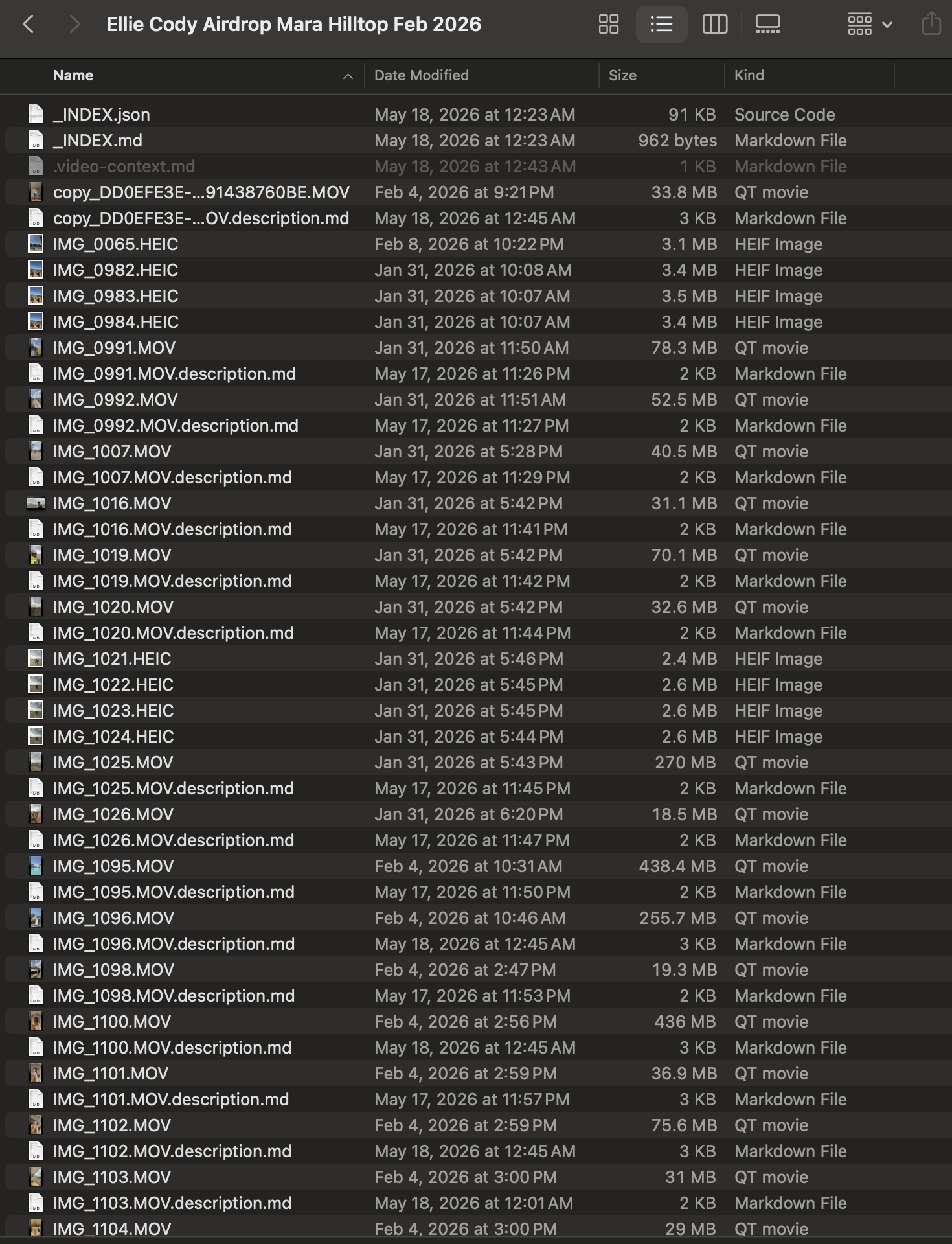
1) It's just simple plain-text `.description.md` sidecar files, one per clip, sitting next to each video.
Something which I can query later - Like when brainstorming with Claude "I wanna make some videos of the Luxury rooms in the lodge" and it knows what all videos could help here (going through the files).
There's also a folder root level files that aggregates the text descriptions to make it easier to find.
I've just attached an image in the blog showing an example - https://blog.simbastack.com/_media/gvcycx2n.png
2) No - nothing from DaVinci Resolve. Framedex is a standalone pipeline. Resolve isn't involved.
Faces come from insightface (the open-source buffalo_l pack - RetinaFace for detection), running locally on CPU. For each clip it detects faces in the sampled frames, embeds them, and writes rows to ~/.framedex/faces.db.
Tbh, this part I know it's building up in my local DB but I haven't tested how good is it. Will check them out properly soon.
But yeah, on your broader point that's why framedex deliberately does not ask the LLM to handle faces or locations.
----
Faces → insightface / ArcFace embeddings. Deterministic, comparable across clips. The vision model only contributes a rough people_count; it never tries to identify anyone.
Locations → EXIF GPS via exiftool, reverse-geocoded through Nominatim/OpenStreetMap. Hard metadata, not a guess.
The LLM only does what it's good at: scene description, mood, shot type, keywords, keep/review/cull rating (this last part is also debatable though).
> generative AI video has no place on a real travel brand
I am pretty sure that the vast majority of Airbnb hosts would not agree with you.
> equals TripAdvisor crucifixion
I have no idea how the Airbnb hosts with fake listings survive, really.
Haha. It's honestly something that I've been struggling with myself. I'm running this safari lodge but I don't want to go down that route of slop videos!
But on the other hand, genuine videos do take time and slows down the process.
Awesome. Say, this is very comprehensive.
I was vaguely aware of all these pieces existing (except for running a facial recognition database at home o_o), but it's really neat to put them all together like that.
Thanks! I was honestly casually trying it out on the side with Claude's help. And I was actually pleasantly surprised to see how good the result was.
Still blows my mind I can do all this from my 2021 MBP.
I'll try to do a post once I have the next steps working (helping with planning and editing videos with Davinci Resolve).
I also have a 64GB M1 Max and am similarly impressed with what that workhorse can do. The M5 tempted me -- a lot -- but then I looked at what I was already getting done on that machine and just couldn't justify it ... yet. Someday, surely, but not yet. Gemma4 gave all my local projects new life, just like what you did here.
Great job. Long live the M1 Max!
100%
Although knowing how good these local models are getting, I am now eyeing the upcoming M5 Ultra Mac Studio (256gigs perhaps). But knowing how crazy the market is, it might be a year before I get the chance to get my hands on it. If it even launches by WWDC.
So do they run the lodge or what?
[flagged]